






Free AI Image to 3D Generator

Upload your image 0 / 1

Drag & drop your image here

or browse files — JPG, PNG, WEBP • max 10MB

No image? Try one of these:

By using this tool you agree to our Terms of Service and Privacy Policy.

Result

AI Image to 3D
AI image to 3D generator example model

Your 3D model will appear here

Upload an image on the left, then hit Generate 3D Model.

Don't Miss Out! These Free AI Tools Are Amazing

What is an AI Image to 3D Generator?

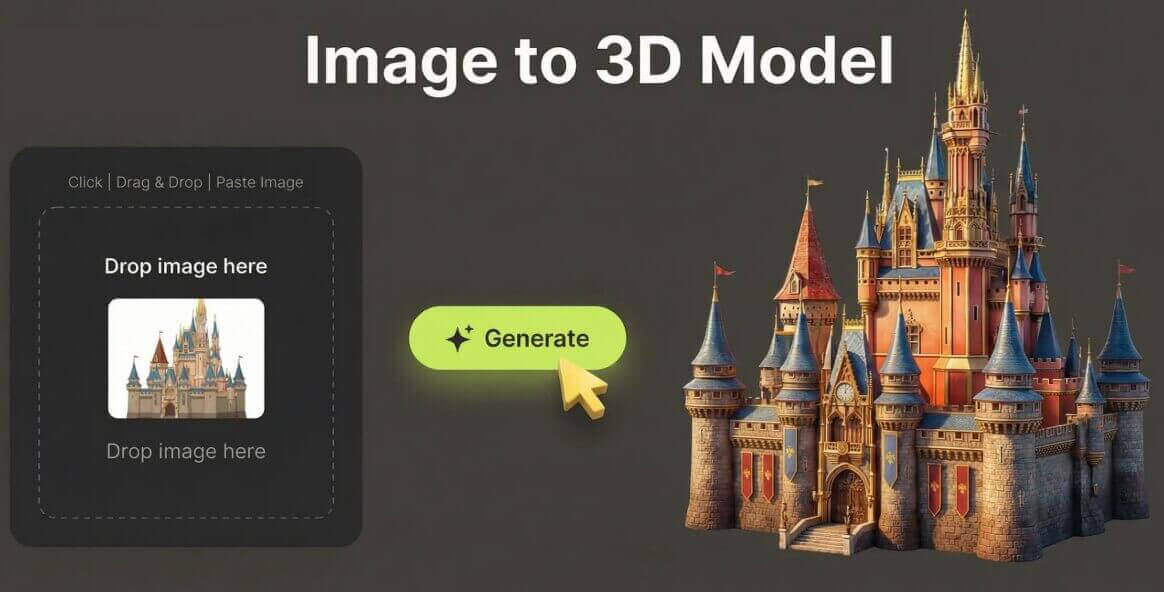
An AI image to 3D generator is an online tool that reconstructs a real 3D model from a single 2D photo — geometry, shape and texture included — so you get a downloadable 3D file without a scanner or modeling software.

It builds a 3D model, not a picture

An AI image to 3D generator reads the depth, silhouette and surface detail in your photo and rebuilds the subject as a textured 3D mesh. Upload one image and the AI returns a model you can orbit, inspect and download.

What you upload

A single photo is all it takes — a product shot, a toy, a shoe, a statue, furniture or a prop. Clear, well-lit images with one obvious subject and a simple background give the cleanest geometry.

Texture and shape in one pass

Color and surface detail are projected onto the mesh, so the model keeps the look of the original photo instead of arriving as a plain gray shape. Thin parts and curved surfaces are reconstructed automatically.

What you get in seconds

A ready-to-use 3D model generated online in 30–120 seconds. Preview it in an interactive viewer, then download it free as GLB, OBJ, FBX, STL, PLY, USDZ or 3MF — no watermark and no account.

Why Choose Our Free AI Image to 3D Generator

One free AI image to 3D generator in your browser — turn a photo into a textured model, inspect it in 3D and download the file at zero cost.

One photo in, one 3D model out

No multi-view capture and no turntable. Upload a single JPG, PNG or WEBP image and the AI reconstructs the shape, depth and texture of the subject for you.

Textured GLB with a live 3D preview

The default output is a compact, textured GLB that opens in Blender, Unity, Unreal Engine, Windows 3D Viewer and most AR platforms. Rotate and inspect it before you download.

Seven export formats

Download your model as GLB, OBJ, FBX, STL, PLY, USDZ or 3MF — ready for game engines, AR/VR apps, 3D printing and CAD-style workflows.

No modeling skills required

There is nothing to sculpt, retopologize or UV-unwrap. The AI handles geometry and texture automatically, so beginners get usable models on the first try.

Fast, adjustable reconstruction

Mesh resolution and inference steps are tuned for speed by default, and results are usually ready in under two minutes so you can iterate on concepts quickly.

Free, no sign-up, no watermark

Use this free AI image to 3D generator without an account, download clean models with no watermark, and get even more daily generations as a member or VIP.

How to Convert an Image to a 3D Model

Convert a photo to 3D in four simple steps. No modeling experience, no 3D scanner and no account needed — just upload and download your model.

  1. 1

    Upload your image

    Drag & drop or browse a JPG, PNG, JPEG or WEBP image up to 10MB. A clear, well-lit photo with one subject on a simple background gives the cleanest geometry.

  2. 2

    Click Generate 3D Model

    The AI estimates depth, silhouette and surface detail, then reconstructs a textured 3D mesh from your photo — no manual modeling or prompts needed.

  3. 3

    Preview the model in 3D

    Orbit, zoom and rotate the finished model in the interactive viewer to check the shape and texture from every angle before you download.

  4. 4

    Download your 3D file

    Download the model as GLB, OBJ, FBX, STL, PLY, USDZ or 3MF in one click, free and without a watermark, then use it in any 3D or AR pipeline.

What You Can Do With the AI Image to 3D Generator

From a single product shot to a whole library of game assets, here is what people turn photos into 3D models for.

Product and e-commerce 3D

Turn flat product photos into rotating 3D models that shoppers can spin, zoom and inspect before they buy.

Game props and assets

Generate quick props, furniture and background assets from reference photos and import the GLB straight into Unity or Unreal.

3D printing

Export a printable STL or 3MF from a photo of a figurine, replacement part or hand-made object.

AR and VR experiences

Create GLB and USDZ models for WebAR, mobile AR and VR scenes without a scanning rig or a modeling team.

Concept and design iterations

Photograph a foam mock-up or a rough prototype and turn it into a model you can drop into a scene for fast reviews.

Teaching and research

Let students photograph everyday objects and explore the resulting 3D models in an interactive viewer.

What Users Say About Our AI Image to 3D Generator

Sellers, designers and developers use this free AI image to 3D generator every day to turn photos into usable models.

“I turned my flat product photos into rotating 3D models for my store page. Customers can spin each item and the shape holds up really well.”
ER Emma R. Online seller
“I use it for quick props and background assets. What used to be hours of modeling is now a photo and a couple of minutes, and the GLB imports straight into Unity.”
DK Daniel K. Indie game developer
“Exporting to STL makes it easy to go from a phone photo to a printable model. Small figurines and replacement parts come out cleaner than I expected.”
SM Sofia M. 3D printing hobbyist
“The GLB and USDZ output drop right into our AR previews. Free, no sign-up and no watermark makes it perfect for prototypes.”
LT Liam T. AR developer
“Great for fast concept iterations. I photograph a foam mock-up, generate a model and drop it into my scene before lunch.”
NB Noah B. Product designer
“My students photograph everyday objects and turn them into 3D models. The interactive viewer is what sells it - they can rotate everything they make.”
PN Priya N. Teacher

Frequently Asked Questions(FAQ)

Answers to the most common questions about our free online AI image to 3D generator.

What is a free AI image to 3D generator?

A free AI image to 3D generator is an online tool that turns a single 2D photo into a real 3D model. Upload a JPG, PNG or WEBP image, click Generate 3D Model and the AI reconstructs the geometry, shape and texture of the subject, then gives you a downloadable 3D file - no modeling software, no 3D scanner and no manual retopology.

How does the AI image to 3D generator work?

The AI studies your photo, estimates the depth, silhouette and surface details of the subject, and builds a textured 3D mesh from that information. The reconstruction is generated on the server and the finished model is returned as a GLB file you can preview, rotate and download.

Is the AI image to 3D generator free? Do I need to sign up?

Yes, it is free and works without an account, and downloads carry no watermark. A free member account raises your daily generations, and VIP adds unlimited daily use, more advanced models and every exclusive feature. Payments are handled securely by third-party providers, with no hidden fees.

Which image formats and sizes are supported?

You can upload JPG, PNG or WEBP images up to 10MB. Photos are compressed in your browser before processing, so large camera files upload quickly without losing the detail the AI needs.

Which 3D file formats can I download?

The default output is GLB, a compact binary glTF file that opens in Blender, Unity, Unreal Engine, Windows 3D Viewer and most AR platforms. The generator also supports OBJ, FBX, STL, PLY, USDZ and 3MF for 3D printing and AR/VR pipelines.

How long does it take to generate a 3D model?

Most models finish in 30 to 120 seconds depending on image size, mesh resolution and queue load. Keep the page open while the model is being reconstructed.

Can I preview and rotate the 3D model before downloading?

Yes. GLB results open in an interactive 3D viewer, so you can orbit, zoom and inspect the model from every angle before you download it. Other formats are offered as a direct file download.

What kinds of photos work best for image to 3D?

Objects with a clear outline and visible surface detail work best - products, shoes, furniture, toys, statues, food, vehicles and props. Well-lit photos with a simple background and a single subject give the cleanest geometry.

Can I use the generated 3D models commercially?

You may use results for personal and commercial projects, provided you own the rights to the uploaded images and your use complies with our Terms of Service.

Are my uploaded photos stored?

Uploads are processed only to generate your 3D model and are deleted shortly after. We never sell your images, and you can start over or close the page at any time.